TRACKOUTS · free · in your browser
Trackouts, mixer and stem export for MPC projects
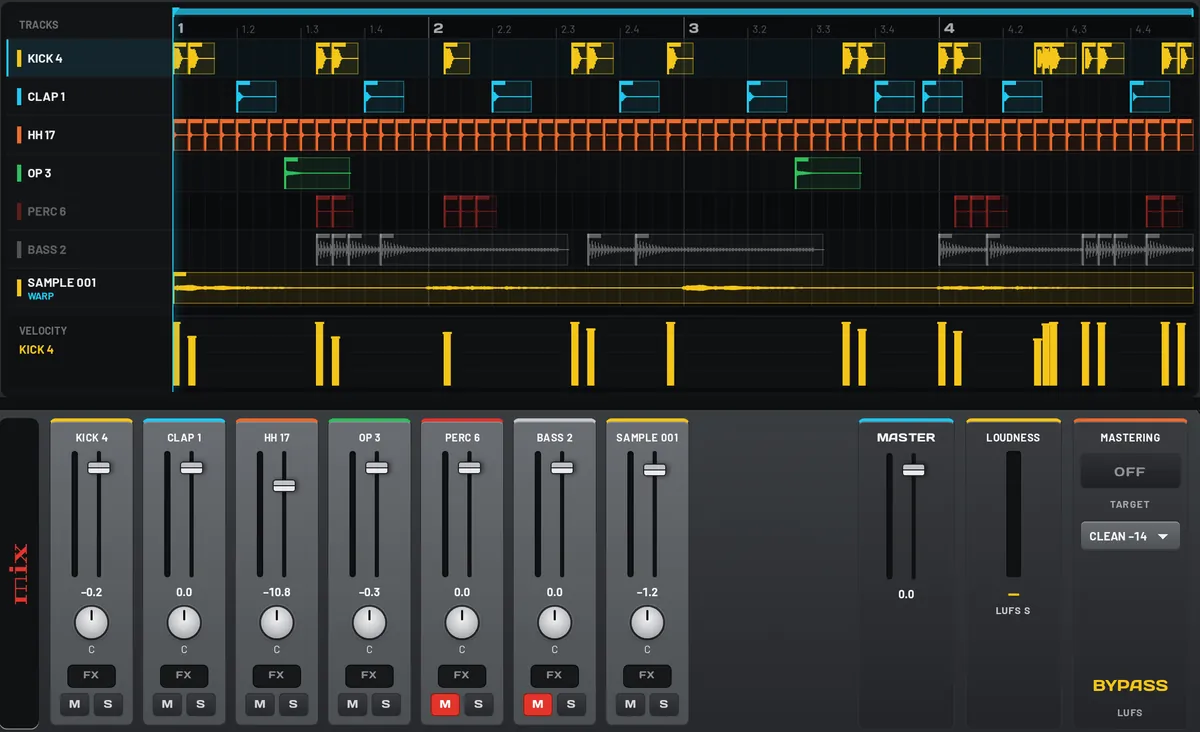
Open the project from your MPC in the browser. Edit hits, mix every track, add movement, then export stems or save it back to the card.
What it does
Opens your project
Drop the .xpj file together with its [ProjectData] folder.
Edit and mix
Edit hits, quantize, copy and paste. Level, pan, mute, solo, FX and moves per track.
Export stems
One WAV per track plus the master and MIDI, ready for any DAW.
Back to the MPC
Save a new project straight back to your SD card.
How it works
- Copy the project folder from your SD card.
- Drop the .xpj and [ProjectData] into Trackouts.
- Edit and mix.
- Export stems, or save a new project for your MPC.
At a glance
- Input
- .xpj + [ProjectData]
- Output
- WAV stems, master, MIDI, new .xpj
- Uploads
- none, it all runs locally
- Price
- free